
Display Memory · for Mac
Remember every window, on every display.
Plug in a monitor, unplug it, restart your Mac. Your windows end up wherever macOS left them. Display Memory puts every one back, and reopens the apps that are closed.
A menu bar app for macOS. Not released yet.
What it does
Remembers each set of displays
Laptop alone, laptop at your desk, laptop in a conference room: each has its own arrangement. Reconnect a set you have used and the windows return. Connect a new one and nothing moves.
Saved layouts, by name
Arrange your windows, choose Save As, and call it Coding, Calls, or Presenting. Switch in one click or one shortcut.
Go back to an earlier state
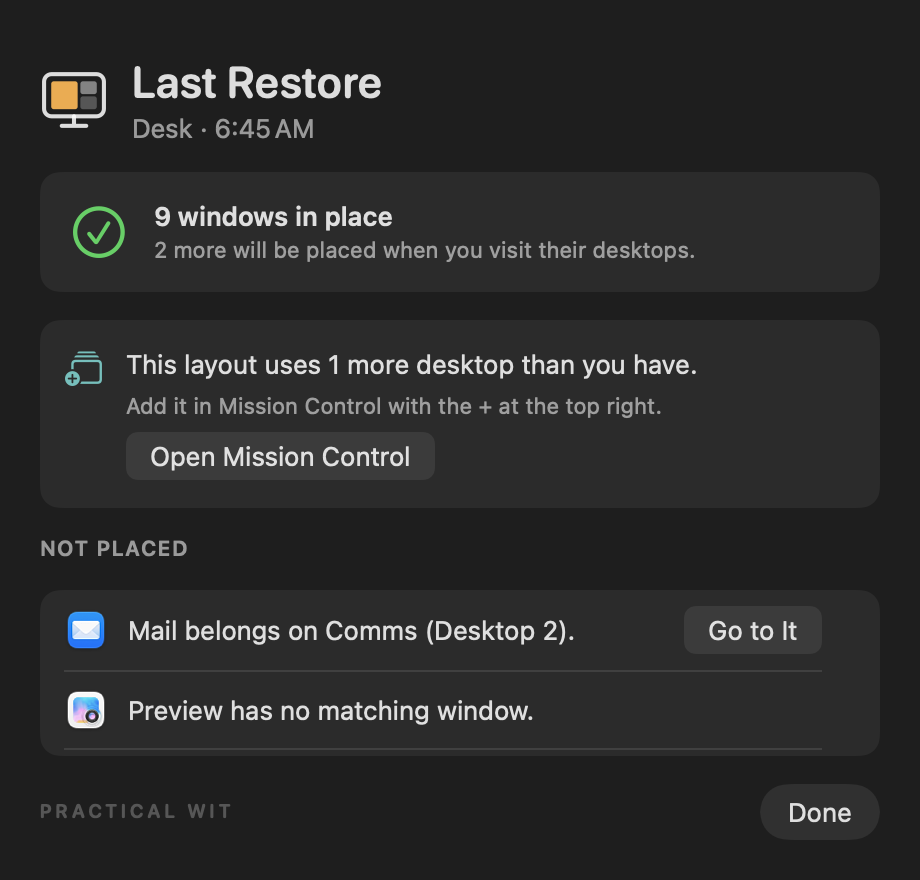
A history is kept for you: before each restore, when displays change, before sleep, and while things move. Go back, or save a past state under a name.
Opens the apps that are closed
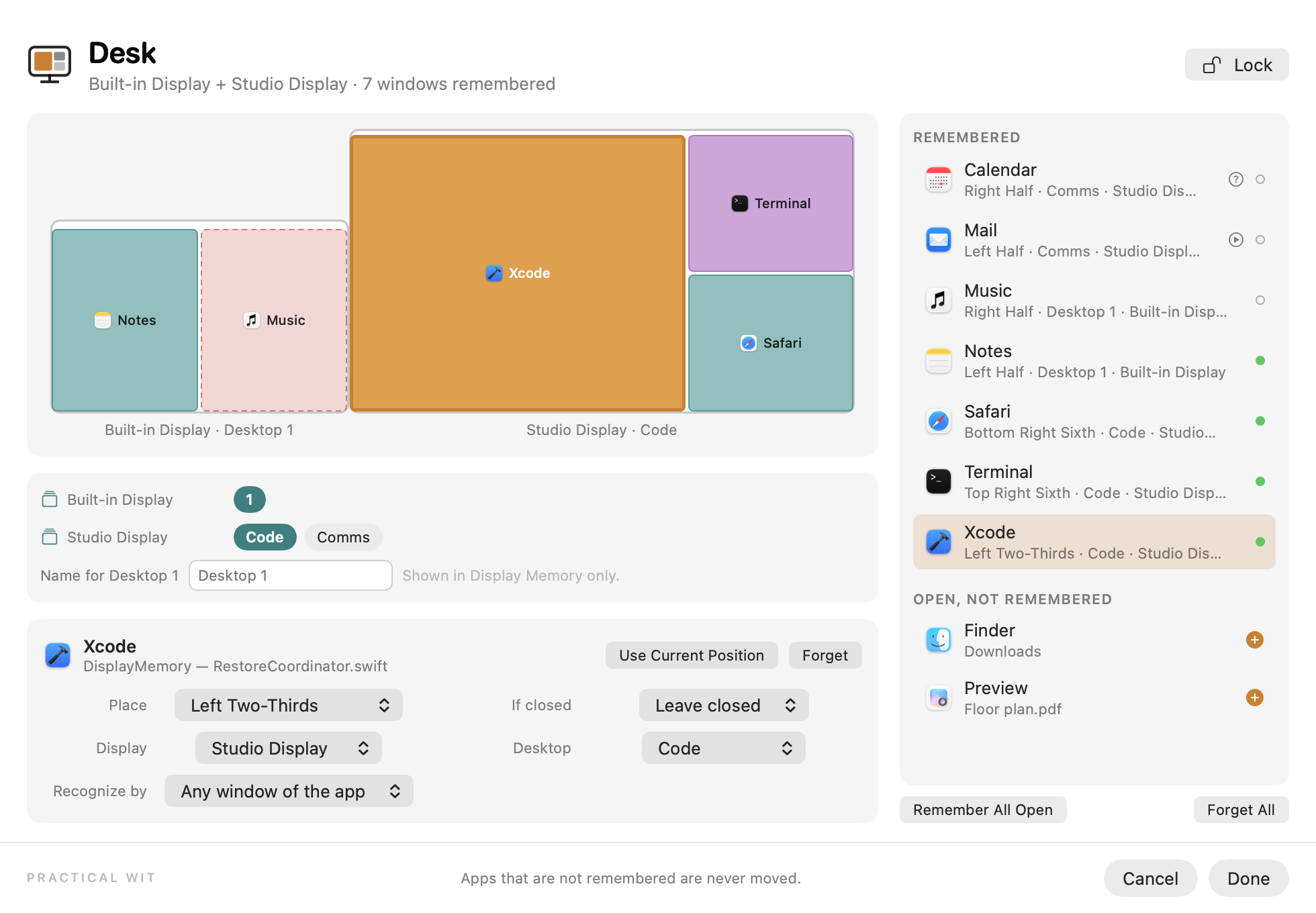
For each remembered window, choose what happens if its app is closed: leave it, ask, or open it. Restore a layout and your whole desk comes together.
Snaps windows too
Halves, thirds, two-thirds, quarters, sixths, full, or center, from the menu or with shortcuts. Send a window to the next display with one key.
Stays out of your way
Lives in the menu bar. Follows your windows automatically. Undo the last restore, pause at any time, and exclude the apps it should never touch.
See it
Two editions
Same app, same privacy. Pro adds the one thing the Mac App Store does not allow.
Display Memory
Every window, on every display.
- Layouts remembered for each set of displays
- Named saved layouts and history
- Reopens closed apps
- Window snapping and shortcuts
Display Memory Pro
Every window. Every display. Every Space.
- Everything in Display Memory
- Knows your Spaces: a window is remembered on the Space it lives on
- Name your Spaces
- A notarized download from this site
Why a separate Pro? Reading and restoring Spaces needs parts of macOS that Apple keeps out of sandboxed App Store apps.
Private by design
No account
Install it and it works.
No network access
Nothing is sent anywhere. No tracking.
Plain files
Your layouts are readable files on your Mac. Export and import them.
One permission
macOS requires Accessibility access for any app that moves windows. Display Memory asks once, and uses it only to read and set window positions and sizes.